
Extract Accurate Information from Complex Documents
AI Document Intelligence reads, understands, and extracts key data in seconds so you can review faster and make decisions with confidence.
Upload documents in any format - PDFs, images, scanned forms, or handwritten notes.
AI Document Intelligence then uses multi‑modal processing to read text, tables, and handwriting, extract key data points, and turn them into usable fields that save time and remove manual work across teams.
Context‑aware extraction finds regulatory references, amounts, and key clauses.
A built‑in rule engine checks every value against your compliance standards, including PTR, ATOL, and KYC.
All extracted information appears in one place in a consistent format.
You can see every entry at a glance, making it easy to find, verify, and share accurate data.
How AI Document Intelligence Works

Instant Overview of Extracted Fields
- See every data field pulled from your documents in one clear summary.
- Missing entries are flagged automatically based on the custom fields you define.
- You have full control over what information the AI should find.
Instant Overview of Extracted Fields
- See every data field pulled from your documents in one clear summary.
- Missing entries are flagged automatically based on the custom fields you define.
- You have full control over what information the AI should find.
All Key Details in One View
- Get a full summary of every agreement with all captured fields in one place.
- See names, dates, values, and clauses clearly labelled and easy to check.
- Confirm contract accuracy in seconds.


All Key Details in One View
- Get a full summary of every agreement with all captured fields in one place.
- See names, dates, values, and clauses clearly labelled and easy to check.
- Confirm contract accuracy in seconds.


Critical Dates, Clauses, and Next Actions at a Glance
- Clear timelines for effective dates, renewal windows, and key clauses are automatically generated.
- Next actions for review and follow‑up keep your team on schedule and reduce missed deadlines.
Critical Dates, Clauses, and Next Actions at a Glance
- Clear timelines for effective dates, renewal windows, and key clauses are automatically generated.
- Next actions for review and follow‑up keep your team on schedule and reduce missed deadlines.

Automate Contract Renewals with Accurate, Branded Emails
Save Time and Reduce Admin
Renewal emails are created and sent automatically with verified contract data. Your team avoids repetitive manual work.
Keep Every Renewal Consistent
Customise renewal emails so every message matches your standard format and includes the key details your clients need. This keeps communication clear, consistent, and professional.
Never Miss an Upcoming Deadline
Renewal reminders go out before key dates, keeping contracts current and removing the need for last‑minute follow‑ups.
Automate Contract Renewals with Accurate, Branded Emails
Save Time and Reduce Admin
Renewal emails are created and sent automatically with verified contract data. Your team avoids repetitive manual work.
Keep Every Renewal Consistent
Customise renewal emails so every message matches your standard format and includes the key details your clients need. This keeps communication clear, consistent, and professional.
Never Miss an Upcoming Deadline
Renewal reminders go out before key dates, keeping contracts current and removing the need for last‑minute follow‑ups.
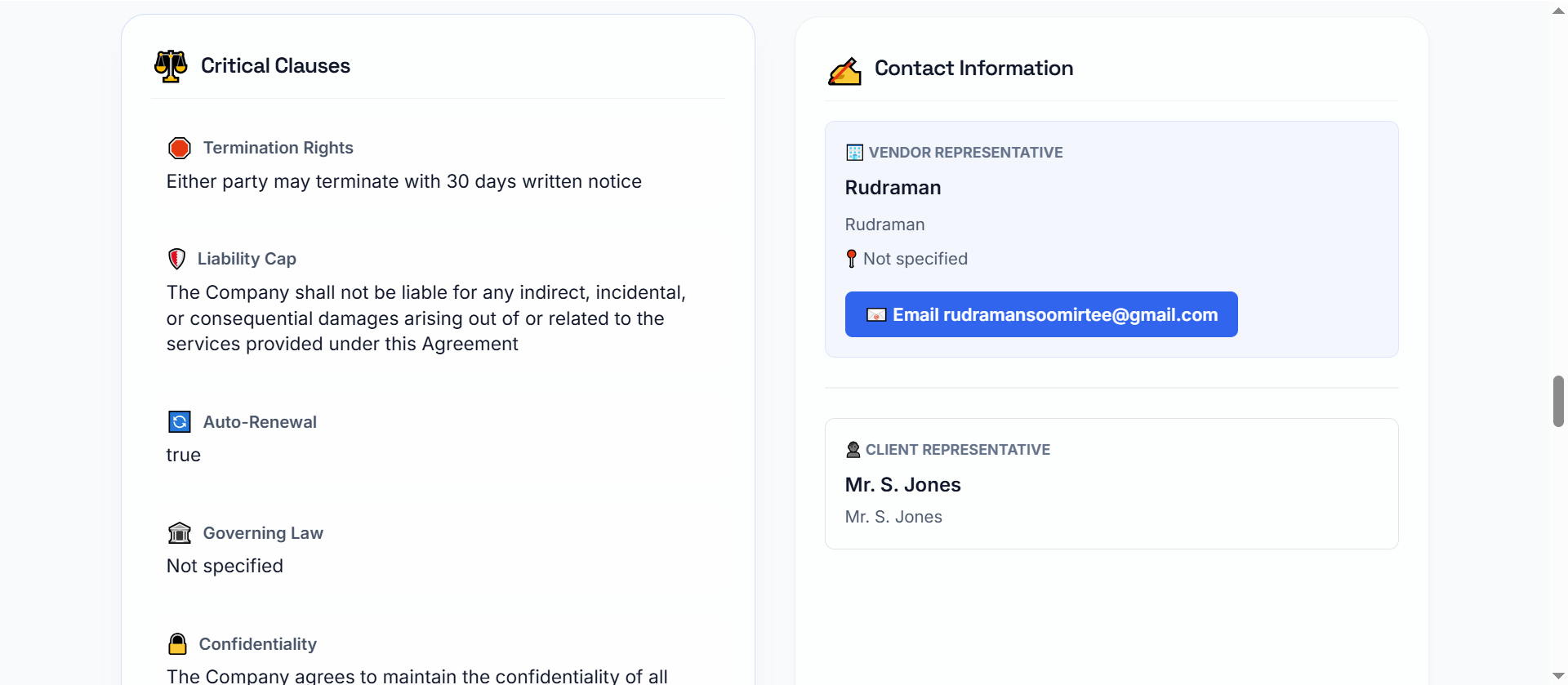
Deep Dive Analysis Into Your Documentation
Instantly explore every extracted detail through a clear, tab‑based analysis that organises key insights across parties, dates, financials, clauses, and more.


See AI Document Intelligence in Action
Turn your complex documents into clear, structured insights.
Frequently asked questions
What is AI Document Intelligence?
AI Document Intelligence uses artificial intelligence to automatically extract, analyse, and organise information from documents. Unlike basic OCR, it understands context, identifies key entities, classifies content, and provides actionable insights.
Which types of documents can AI Document Intelligence handle?
AI Document Intelligence works with a wide range of documents, including:
- Invoices, receipts, and purchase orders
- Contracts, agreements, and legal documents
- Forms, applications, and surveys
- Reports, research papers, and manuals
- Emails and unstructured text files
How does it work?
- Data Extraction – Identifies key fields and text using AI and machine learning.
- Data Understanding – Contextualises the information, recognising entities, dates, and relationships.
- Automation & Insights – Classifies documents, triggers workflows, or integrates with other systems for actionable insights.
What are the benefits of using AI Document Intelligence?
- Time Savings: Automates tedious manual data entry.
- Accuracy: Reduces errors caused by human oversight.
- Scalability: Handles large volumes of documents effortlessly.
- Actionable Insights: Extracted data can feed analytics, reporting, or decisions.
- Compliance & Security: Tracks and organizes sensitive information according to regulations.
Can handwritten or scanned documents be processed?
Yes. Data from handwriting, scanned images, and PDFs can be captured. Accuracy depends on how clear the document is.
How is AI Document Intelligence different from traditional OCR?
OCR converts images into text, while AI Document Intelligence understands the content, extracting meaning, classifying documents, and spotting patterns or anomalies.
Can AI Document Intelligence integrate with existing systems?
Absolutely. AI Document Intelligence can connect with ERP, CRM, document management, and workflow systems.
How quickly can I see results?
Depending on your document volume and complexity, results can be immediate. Training AI for industry-specific documents or unique formats may take days or weeks, but the system continues to improve as it processes more data.